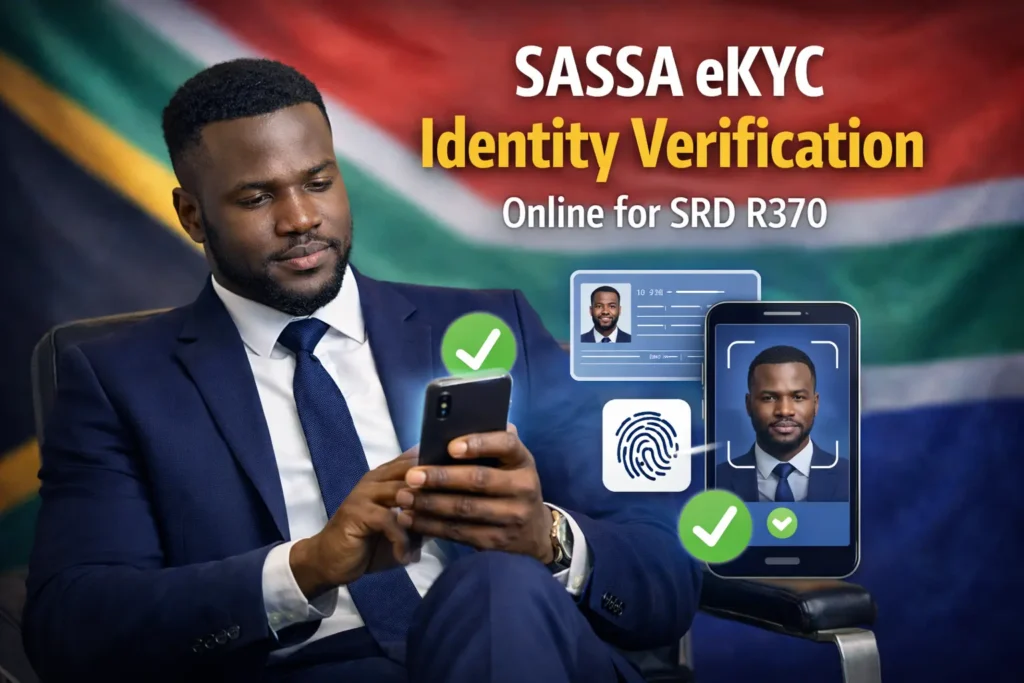
SASSA eKYC Identity Verification Online for SRD R370
When you check your SASSA status appeal for SRD 370 and your status show “Identity Verification Required”, “Verification Pending”, or “Referred” it means you are stuck in the verification process of SASSA’s electronic Know Your Customer (eKYC) system. It is a verification system that is made necessary for each SRD 370 grant beneficiary. People after seeing this, start to panic and fear that their grant may decline or get rejected. Do not worry we will discuss how you can easily verify yourself from (eKYC) system to get your SASSA grant.
What Is SASSA eKYC Identity Verification?
eKYC is an online identity verification system. It stands for electronic Know Your Customer (eKYC). This facial verification process for online identity verification is introduced by SRD grant authorities so every grant taking citizen can verify its identity online without visiting SASSA help center. eKYC is used by SASSA authorities to check whether.
- The person who is applying for the SRD grant is a South African citizen or not.
- His given documents match the official Home record documents or not.
- Someone has created multiple grant accounts on the same ID card.
- The grant is reaching the rightful owner or not.
If the facial verification process fails and eKYC is not completed you have to visit SASSA’s office for biometric verification.
Requirements Before Starting eKYC Verification
You need to prepare some documents and important stuff before starting for eKYC verification
- It will require your South African ID number or national ID card number.
- The SRD Application ID which you get when you apply for an SRD grant.
- You need your cellphone number registered for SRD grant
- A smartphone with a front camera for facial verification.
- A stable internet connection so that your verification process should not get stuck.
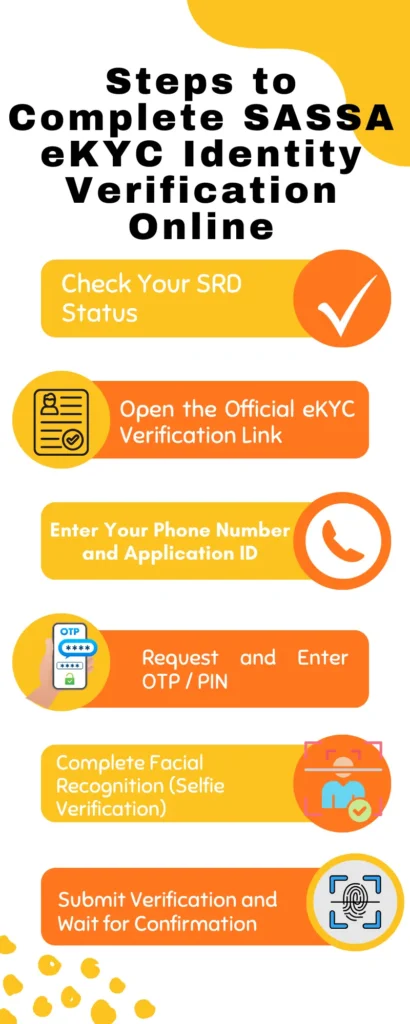
Steps to Complete SASSA eKYC Identity Verification Online
To complete your SASSA eKYC identity verification online you have to follow these simple steps:
Step 1: Check Your SRD Status
First of all use SASSA status check or SRD sassa status check from the official website srd.sassa.gov.za. If it is written as “Referred” then navigate to eKYC verification page which is https://srd.sassa.gov.za/sc19/ekyc.
Step 2: Open the Official eKYC Verification Link
On the eKYC page you will have three options:
- eKYC Status Check: To check if your eKYC verification is completed or still pending.
- eKYC Re-verification: Your previous eKYC verification failed and you want to verify it again.
- eKYC for Referred Status: Your SASSA status was referred and you want to complete eKYC verification.
Choose according to your own situation, but if you are doing eKYC for the first time choose “eKYC for Referred Status.”
Step 3: Enter Your Phone Number and Application ID:
After clicking on “eKYC for Referred Status” fill the column of phone number and application ID with your SASSA registered phone number and grant Application ID.
Step 4: Request and Enter OTP / PIN:
When you submit the documents an OTP will be sent on your registered mobile number. Copy it from the SMS and paste it into the verification page OTP column.
Step 5: Complete Facial Recognition (Selfie Verification):
Now the facial verification process will start, turn on your camera torch for a brighter selfie, and follow the prompts exactly such as look straight, blink your eyes, turn your face to left or right.
Step 6: Submit Verification and Wait for Confirmation:
After taking your selfies you will see the prompt ” completed “ on the screen then click on the submit button.
In this way you have completed eKYC verification and now you just have to wait until your status changes from referred to approved. If after waiting for several days your status is the same and did not change, contact SASSA official support and ask for assistance.
What does “Referred” Status on SASSA SRD means
If you check your SASSA status and is written as referred, it means the automated system for identity verification has been declined and now SASSA agents will manually review your ID and your grant approval application before sending SRD grant to your account. You just have to wait calmly because it does not mean that your grant is rejected.
Common reasons SRD status becomes “Referred” and how to fix it
Following are the common reasons due to which your SASSA status become referred:
- Your identity details such as name or date of birth require confirmation.
- Your ID is suspected for duplicate applications by the automated system
- Your mobile number is not registered on your name or is linked to another person’s claim.
- You are suspected of using someone else’s bank account for SRD grant instead of yours.
- Due to system error your ID is sent for the manual check.
Normally the eKYC verification solves the referred status. If you have done eKYC verification and waited for above two weeks and still your SRD status is showing referred contact SRD support.
Who Gets Asked to Do eKYC Verification?
SRD grant is a special aid program for poor and needy individuals. The South African government takes additional security steps so no one can abuse the system and take money which is for needy individuals. Not everyone is asked for eKYC verifications but many grant beneficiaries due to following reasons:
- If your grant application is flagged for identity verification due to spelling or date mistakes.
- Your details such as name or surname don’t match the records the government agency (Stats SA) has.
- Your SASSA grant number has been changed.
- SASSA suspects that someone is trying to steal your identity to take your grant.
- The automated system did not approve your ID verification so it is pending for manual check.
What Happens If You Ignore eKYC?
If you do not verify your identity using eKYC your referred status may change into decline status for that month or even your grant can be rejected for the upcoming month. The eKYC verification is very important because you have to prove that you are a legitimate citizen of South Africa and you truly need an SRD grant.