
How To Change SRD Phone Number Online
Did you lose your phone number or want to change your phone number to a new number but you are worried that you might miss updates, notification and payments of SRD grant as your number is associated with SASSA. Do not worry as there are many ways through which you can change your number associated with SASSA very quickly. The South African government for the ease of their SRD grant beneficiaries made a system on SASSA portal through which you can easily change your phone number using your ID card number.
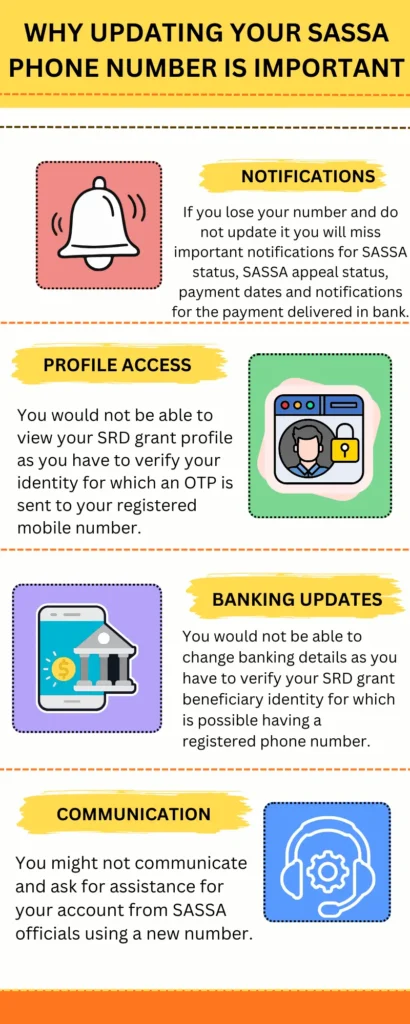
Why Updating Your SASSA SRD Phone Number Is Important:
SASSA SRD phone number is very important as it plays the following important roles for the SRD grant receiving people.
- If you lose your number and do not update it you will miss important notifications for SASSA status, SASSA appeal status, payment dates and notifications for the payment delivered in bank.
- You would not be able to view your SRD grant profile as you have to verify your identity for which an OTP is sent to your registered mobile number.
- You would not be able to change banking details as you have to verify your SRD grant beneficiary identity for which is possible having a registered phone number.
- You might not communicate and ask for assistance for your account from SASSA officials using a new number.
Requirements to Change Your SRD Phone Number
There are few things which would be required before you can change your phone number associated with SASSA to a new number.
- First of all your national ID card 13 digit number would be required.
- Secondly your SRD application form picture or ID number is also needed.
- Thirdly the new mobile number must be on your own name and ID card number.
Steps To Change SRD Phone Number Online
You can easily change your R 370 SRD grant phone number associated with SASSA by the following step:
- First of all, visit the official SRD portal https://srd.sassa.gov.za/ and navigate to the ” How to change contact details “ section.
- Click on the button to change phone number and it will take you to a secure page, you can also change your email address.
- On the secure page you will have to enter your 13 digit national ID card number.
- A 6 digit Application ID, which you got when applying for an SRD grant.
- The new number which you want to change from the previous number
- Once you have completed these details click on submit, and your request to change number will be submitted.
Ways to Change Your SRD Phone Number
There are a number of different easy processes by which you can change your SRD grant phone number.
Change Phone Number Using Application ID:
- First of all you have to visit the official SRD portal which is https://srd.sassa.gov.za and navigate to the ” Change contact information “ page.
- Click on the button ” Click here to change your cell phone number.” It will ask you for your South African national ID card number.
- Enter your ID number and then it will ask for Application ID number, new contact number, and reason for changing phone number.
- Submit all this information and click on enter, an OTP will be sent on your new number, verify it and now your new number has been stored in the SASSA database.
Change Phone Number by Email to SASSA
You can also email to the official SRD portal to change your phone number. Email at “grantenquiries@sassa.gov.za” with all the necessary documents including your ID, Application ID, reason why you are changing your phone number. They will contact you by official mail if they need any other evidence and update your phone number.
Contact the SASSA Call Centre
If you are in a hurry and immediately want your number changed, call at SASSA toll-free number, which is “ 0800 60 10 11.” They will ask you for necessary documents and change your phone number.
How To Recover Your SRD Application ID
If you have lost or forgotten your SRD application ID, do not worry we will guide you how you can recover your ID by following some easy steps given below.
- First of all visit the official SRD grant portal https://statusdate.co.za/.
- Click on the button “SASSA Status Check” and enter your ID and current phone number.
- Your SRD status will be shown in the results along with your application ID in the first line.
In this way you check your SASSA status or SRD grant status along with your Application ID number.
Common Reasons for Changing Your SASSA SRD Phone Number
When you change your contact information, SASSA agents ask for the reason why you are changing your phone numbers. A few common reasons are discussed below.
- Some people lose their phone or get their phone stolen along with the SIM card.
- Sometimes the SIM card expires and is no longer active.
- Some people switch to a new network and hence change their phone numbers.
- Some people do not receive SRD SMS notifications and decide to change their phone number.
If you have these common issues, mention them to the support team. If the reason for changing your SRD grant phone number is something else, do not lie and be honest and tell them the real reason so they can help you.
Important Rules When Updating SRD Contact Details
- The new contact number must be your personal number and registered on your own name.
- You can only request one time in 24 hours to change contact information.
- Double check your ID number and Application ID before submitting.
- Do not change your contact information again and again as they will block your access to the SRD portal considering you are doing spam.